
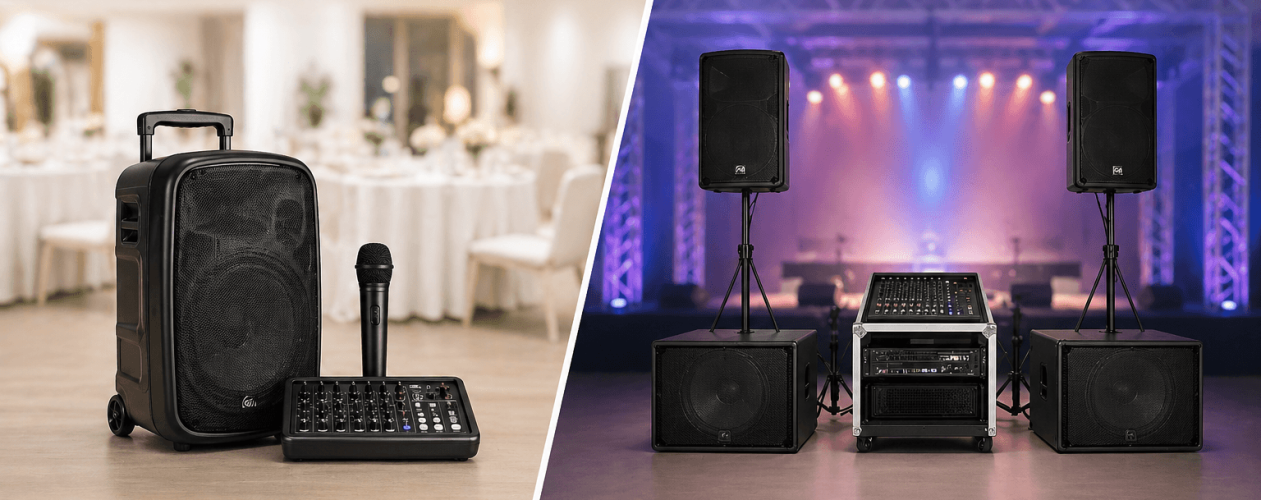
Organising a successful corporate event involves much more than booking a venue, arranging catering and preparing presentations. One of the most important elements, yet often overlooked until the final stages of planning, is the sound system.
Whether you’re organising a business conference in Central London, a corporate awards ceremony in Mayfair, a product launch in Shoreditch or a company networking event in Canary Wharf, the quality of your audio can make a significant difference to the overall experience.
Poor sound can undermine even the most professionally organised event. Presenters may struggle to be heard, microphones can produce unwanted feedback, videos may play at inconsistent volumes and guests at the back of the room may miss important information.
A professionally planned PA system helps ensure that every speech, announcement and presentation reaches the intended audience clearly.
In this guide, we explain how to plan a corporate event sound system, what equipment you may need, how to avoid common technical problems and when professional PA system hire in London is the most practical solution.
Why Sound Quality Is So Important at Corporate Events
Corporate events often involve multiple forms of communication, from formal speeches and presentations to informal networking and entertainment.
Unlike a private party, where the main objective may be music and atmosphere, corporate events usually require a careful balance between speech intelligibility, controlled volume and professional presentation.
A good sound system should:
- Deliver clear speech throughout the venue.
- Provide consistent volume across the audience.
- Support multiple microphones and presenters.
- Connect reliably to laptops and presentation equipment.
- Accommodate background music and video playback.
- Minimise feedback, distortion and unwanted noise.
- Allow technical adjustments during the event.
- Support different areas or rooms where necessary.
The right equipment also helps speakers feel more confident. When microphones work properly and the audience can hear clearly, presenters can concentrate on delivering their message.
1. Identify the Type of Corporate Event
Before choosing equipment, establish exactly how the sound system will be used.
Different events require different configurations.
Business Conferences and Seminars
Conferences typically involve presentations, keynote speeches, panel discussions and audience questions.
The emphasis is on speech clarity.
A conference sound system may include wireless microphones, lectern microphones, a digital mixer and multiple speakers positioned to cover the audience evenly.
Larger conferences may also need delay speakers towards the back of the venue.
Corporate Awards Ceremonies
Awards ceremonies tend to have more complex audio requirements.
Alongside speeches and announcements, organisers may require:
- Entrance music for presenters.
- Award announcement sound effects.
- Video playback.
- Background music during dinner.
- Wireless microphones for hosts.
- Music for winners walking onto the stage.
A sound engineer is particularly useful because audio cues must be delivered at precisely the right moments.
Product Launches
Product launches often combine presentations, promotional videos, music and live demonstrations.
The sound system must accommodate these different elements without sudden or uncomfortable changes in volume.
For high-impact launches, subwoofers may also be appropriate.
Corporate Networking Events
Networking events usually require more discreet sound reinforcement.
Background music should create atmosphere without preventing conversation.
Announcements must be clear but should not overwhelm guests.
For larger venues, distributed speakers and separate volume zones can provide a better experience than a pair of very loud speakers.
Annual General Meetings
AGMs place particular emphasis on reliable speech reproduction.
Requirements may include tabletop microphones, chairman microphones, audience Q&A microphones and integration with conferencing or recording systems.
Where hybrid attendance is involved, audio must also be routed correctly to remote participants.
2. Understand Your Venue Before Choosing Speakers
One of the biggest mistakes when hiring a PA system is choosing equipment based solely on the number of attendees.
A room’s shape, dimensions and acoustic properties can be just as important as audience capacity.
For example, a 200-person conference in a compact hotel ballroom may require a different speaker configuration from a 200-person event in a long exhibition space.
Before hiring equipment, establish:
Venue dimensions: Measure the approximate length, width and ceiling height.
Audience layout: Identify whether guests will be seated theatre-style, around tables or standing.
Stage location: Establish where speakers and presenters will be positioned.
Acoustic conditions: Consider reflective surfaces, high ceilings and background noise.
Power availability: Confirm the location and suitability of electrical supplies.
Access restrictions: Check loading arrangements, installation times and collection requirements.
For events in Central London, access planning can be especially important because venues may have restricted loading bays, limited parking and fixed setup windows.
3. Calculate the Speaker Requirements
Speaker quantity depends on the size of the audience area, speaker coverage characteristics and the required sound level.
As an initial guide:
| Event size | Possible starting configuration |
|---|---|
| Up to 50 guests | 1–2 suitable PA speakers |
| 50–100 guests | Two professional PA speakers |
| 100–200 guests | Two or more speakers depending on coverage |
| 200–400 guests | Larger main system, potentially additional fill speakers |
| 400–800 guests | Professionally designed distributed or higher-output system |
| 800+ guests | Bespoke PA design with technical support |
These are indicative planning examples, not guaranteed equipment requirements.
A high-quality speaker with the correct coverage pattern can sometimes outperform several poorly positioned speakers.
For a more detailed explanation, read our guide on How to Calculate Speaker Requirements for an Event.
Speaker Placement Is Just as Important
Speakers should be positioned to distribute sound towards the audience rather than directly into walls, ceilings or microphone pickup areas.
In long venues, additional delay speakers may improve coverage.
In wide rooms, multiple speaker positions may be necessary to reach the entire audience.
The objective is to achieve balanced sound rather than maximum volume.
4. Choose the Right Microphones
Microphones are among the most important components of any corporate sound system.
The best microphone depends on how the presenter intends to speak and move around the stage.
Wireless Handheld Microphones
Wireless handheld microphones are particularly useful for:
- Audience questions.
- Awards presentations.
- Event hosts.
- Guest speakers.
- Networking announcements.
They offer flexibility and allow presenters to move without cables.
However, wireless systems need suitable frequency coordination and reliable battery management.
Lapel Microphones
Lapel microphones are small microphones clipped to clothing.
They are popular for:
- Corporate presentations.
- Panel discussions.
- Interviews.
- Product demonstrations.
They allow hands-free speaking, although placement and clothing noise must be managed carefully.
Headset Microphones
Headset microphones are often suitable for presenters who move frequently or require both hands.
They can provide more consistent microphone positioning than lapel microphones.
Lectern Microphones
Lectern microphones are commonly used for formal speeches, conferences and award ceremonies.
They provide a fixed speaking position and can be integrated neatly into a stage setup.
How Many Microphones Should You Hire?
Consider a conference with:
- One keynote speaker.
- Four panel members.
- One event host.
- Audience questions.
The event might require six or more microphone channels, depending on whether speakers share microphones and how the programme is structured.
Always consider spare microphones and backup arrangements for important events.
5. Understand the Role of an Audio Mixer
An audio mixer allows multiple sound sources to be controlled from one central position.
For a corporate event, these sources may include microphones, laptops, video playback and background music.
The mixer allows an operator to adjust individual volume levels, apply processing and route audio to the correct speakers.
Analogue vs Digital Mixing Desks
Analogue mixers can be suitable for smaller, straightforward events.
Digital mixers offer additional functionality, such as:
- Stored settings.
- Multiple audio outputs.
- Detailed equalisation.
- Dynamic processing.
- Flexible routing.
- Remote control.
- Scene recall.
For events involving multiple presenters, videos and live cues, a digital mixer can offer considerable flexibility.
The important factor is selecting a mixer with enough inputs, outputs and control options for the event.
6. Plan Laptop and Presentation Audio
Many corporate events rely heavily on laptops.
Presenters may need to play:
- PowerPoint videos.
- Promotional films.
- Recorded interviews.
- Music.
- Online presentations.
- Video conferencing audio.
However, laptop audio can create problems when it is not tested beforehand.
Potential issues include incorrect output settings, inconsistent playback levels, unexpected notification sounds and incompatible connections.
Before the event, confirm which laptops and devices will be used.
Where possible, test every presentation through the actual sound system.
For critical events, a dedicated playback laptop and suitable backup arrangements are worth considering.
7. Consider Whether You Need Subwoofers
Subwoofers reproduce low-frequency sound.
They are particularly useful for music-led events where bass and impact contribute to the experience.
For a speech-only conference, subwoofers may not be necessary.
For an awards ceremony with music, a product launch or a corporate celebration featuring a DJ, subwoofers may improve the overall sound.
The decision should depend on the programme rather than simply the number of attendees.
8. Plan for Multiple Audio Zones
Large corporate venues often contain several separate spaces.
For example, a conference may include:
- Main auditorium.
- Registration area.
- Networking lounge.
- Exhibition space.
- Dining area.
- Breakout rooms.
Each area may require different sound levels or different audio content.
A multi-zone system allows audio to be controlled independently.
Background music can continue in the networking lounge while a presentation takes place in the main auditorium.
This provides a more professional and comfortable environment for attendees.
9. Consider the Venue’s Acoustic Conditions
Even expensive sound equipment can perform poorly in an acoustically challenging venue.
Large glass surfaces, hard floors and high ceilings can cause sound reflections.
When these reflections overlap with the original sound, speech can become less intelligible.
Temporary event spaces, exhibition halls and converted industrial buildings may present particular challenges.
Possible solutions include:
- Using more directional speakers.
- Adjusting speaker height and angle.
- Adding carefully timed fill speakers.
- Reducing unnecessary speaker overlap.
- Using appropriate audio processing.
- Incorporating acoustic treatment where practical.
The goal is not simply to make speech louder, but to make it easier to understand.
10. Decide Whether You Need a Sound Engineer
For a small meeting involving one presenter and a simple microphone, an appropriately configured PA system may be straightforward to operate.
For larger corporate events, professional technical support is often advisable.
A sound engineer can manage:
- Microphone levels.
- Audio playback.
- Feedback prevention.
- Presenter changes.
- Music cues.
- Panel discussions.
- Sound checks.
- Unexpected technical problems.
An engineer can also respond immediately if a presenter moves away from a microphone, changes speaking volume or introduces an unexpected audio source.
For events where the programme must run precisely to schedule, this support can be particularly valuable.
11. Arrange a Sound Check Before Guests Arrive
A sound check should form part of the event schedule.
It allows the technical team to test equipment and identify problems before the audience enters the venue.
A typical sound check should include:
- Testing every microphone.
- Checking speaker coverage.
- Confirming laptop and video audio.
- Testing wireless microphone reception.
- Adjusting levels for presenters.
- Checking playback cues.
- Confirming backup equipment.
- Testing audio in separate zones.
- Checking for feedback.
- Confirming the final running order.
For larger events, presenters should ideally participate in the sound check so microphone positioning and speaking levels can be adjusted.
12. Understand PA System Hire Costs for Corporate Events
The cost of hiring a corporate sound system depends on more than the number of speakers.
Important factors include:
- Equipment specification.
- Number of microphones.
- Mixing requirements.
- Event duration.
- Delivery location.
- Installation complexity.
- Technical staffing.
- Access arrangements.
- Collection requirements.
A straightforward presentation for 50 guests will generally involve a different level of equipment and labour from a 500-person awards ceremony.
When comparing quotations, check exactly what is included.
A lower equipment-only price may not include delivery, installation, collection or technical support.
For a more detailed breakdown, see our guide to How Much PA System Hire Costs in London.
13. Common Corporate Event Sound Mistakes
Leaving Audio Planning Until the Last Minute
Sound equipment should be considered when choosing the venue and designing the event layout.
Hiring Equipment Based Only on Wattage
Speaker power ratings do not reliably indicate how well a system will cover an audience.
Using Too Few Microphones
Sharing a single microphone between several speakers can interrupt the flow of an event.
Ignoring Audience Questions
Q&A sessions require microphones that allow audience members to be heard clearly.
Not Testing Presentation Videos
Audio playback issues can cause unnecessary delays.
Positioning Speakers Incorrectly
Poor positioning can create uneven sound and feedback.
Forgetting Backup Equipment
Important events should have appropriate contingency arrangements for critical equipment.
Underestimating Setup Time
Audio installation, cable management and testing all require sufficient time.
14. Corporate Event Sound System Checklist
Use this checklist when preparing your event brief.
Event Information
- Confirm event date and location.
- Establish guest numbers.
- Identify the type of event.
- Confirm venue dimensions.
- Obtain a floor plan where possible.
Audio Requirements
- Confirm number of presenters.
- Identify microphone types.
- List laptop and video sources.
- Decide whether music will be played.
- Confirm whether subwoofers are needed.
- Identify separate audio zones.
Technical Planning
- Confirm available electrical power.
- Arrange delivery and installation access.
- Establish the event running order.
- Allow time for a sound check.
- Confirm technical staffing.
- Plan appropriate backup arrangements.
Frequently Asked Questions
What PA system do I need for a corporate event?
The appropriate PA system depends on the number of guests, venue dimensions, event programme and audio requirements. Smaller presentations may need only two speakers and a microphone, while larger conferences can require distributed speakers, multiple microphones and a digital mixing desk.
Do I need a sound engineer for a conference?
A sound engineer is advisable for events involving multiple presenters, panel discussions, videos, music cues or complex audio requirements. Smaller events may be manageable with a properly configured system.
Can I connect a laptop to a hired PA system?
Yes. Most professional PA systems can accommodate laptop audio using suitable interfaces and connections. Compatibility and playback levels should be checked before the event.
Are wireless microphones reliable for corporate events?
Professional wireless microphone systems can be highly reliable when correctly selected, coordinated and operated. Frequency planning, batteries and local radio conditions should all be considered.
How early should I book PA system hire?
Booking early is advisable, particularly for large conferences, awards ceremonies and events requiring technical staff. Complex events benefit from additional planning time.
Can one PA system cover several rooms?
Yes. Audio can be distributed to multiple rooms using suitable equipment and independent zones. The exact arrangement depends on whether each room requires the same programme or separate audio.
Corporate PA System Hire Across London
At PA Systems Hire, we understand that corporate events depend on reliable communication and professionally managed sound.
Whether you’re organising a conference in Westminster, an awards ceremony in Mayfair, a networking event in Canary Wharf or a product launch in Shoreditch, the right audio setup helps your event run smoothly.
We can help you identify suitable equipment for your venue, audience and event programme, including speakers, microphones, mixing equipment and appropriate technical support.
Planning a corporate event in London?
Contact PA Systems Hire to discuss your requirements and request a tailored quotation.